httpd-ack

| ||||||||
| Httpd-ack | ||||||||
|
| Download Httpd-ack (info) |
httpd-ack is software written for the Dreamcast to dump GD-ROMs via a Broadband Adapter link.
Usage
- Assign a static IP to your Broadband Adapter using a web browser like XDP or Broadband Passport.
- Burn the CDI image to a disc and boot the Dreamcast. Alternatively, boot the Dreamcast using dcload-ip and load the elf file with dc-tool:
dc-tool -t <dreamcast ip> -n -x httpd-ack.elf
On a PC connected to the same network as the Dreamcast, load a web browser and enter the Dreamcast IP in the URL bar. A menu interface will appear that will allow you to dump tracks from the GD-ROM by clicking a track to "download" it via your browser. By modifying the parameters of the links given to each track, you can manipulate the dumping options:
| Option | Description |
|---|---|
| track%d | dump track %d (or end sector if >= 100) |
| session%d | dump session %d (or start sector if >= 100) |
| ipbintoc%s | 1 = use cdrom TOC thats in IP.BIN for session 2 0 = use cdrom's TOC (this option is useful for dumping GD-Rs with swap trick) |
| p%d | unknown param when initializing the cdrom. 8192 and 4096 seem to be valid numbers. 8192 for data, 4096 for audio? |
| cdxa%d | something to do with cdxa. 0, 1024, 2048 seem to be valid numbers. 1024 for data, 0 for audio? |
| sector_size%d | what sector size to initial the cdrom with for reading. 2048 or 2352 are valid. 2352 doesnt always seem to stick and somehow depends on p and cdxa values. |
| gap%d | the end sector for tracks is unknown (except for the last track in a session). so the end sector is calculated by ((start sector of next track - 1) - gap%d). |
| dma%d | 1 = use dma when transfering from cdrom 0 = use pio |
| sector_read%d | number of sectors to read in each cdrom_read_sectors() call, max 128 |
| sub%d | 0 = dont dump sub channel 1 = use syscall method to dump sub channel 2 = use cdrom_read_sectors method to dump sub channel (dma will be forced to 0, sector_read will be forced to 1) |
| abort%d | 1 = abort on read error 0 = continue on read error |
| retry%d | if cdrom_read_sectors() call returns an error, the number of times to retry before giving up |
Automating dumping
As only one track may be dumped at a time, and the user must sit at the web browser to start dumping the next track, it is recommended to use a script to automate the dumping process if a large number of GD-ROMs will be dumped. A script that can be run on Windows 10, macOS, or Linux is available.
GD-R dumping
It is possible to make httpd-ack use the TOC from the IP.BIN at sector 45000 for session 2. The ability to do this is to assist in making it possible to dump GD-R media using a swap disc method, as otherwise the TOC from the old disc would be used when swapping discs with the lid detection switch held down.
http://IP/?ipbintoc
or
http://IP/index.html?ipbintoc
The following entry will be logged to the video output to indicate the software is using the TOC from the IP.BIN:
get_toc(): using ip.bin for TOC
Dumping a sector range
track%d and session%d have a dual meaning. If both are >= 100, the value of session%d will act as the start sector, and track%d the end sector, and instead of returning an entire track for download, the software will return a file only containing the specific sector range (session%d through track%d).
Screenshots
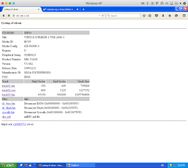
Title screen
Source
Historical builds
- httpd-ack 20080711 elf + cdi
- httpd-ack 20071123 elf + cdi
- httpd-ack 20070720 elf + cdi
- httpd-ack gdr-test BETA 3 from 20070626 elf only
- httpd-ack gdr-test BETA 2 from 20070626 elf only
- httpd-ack gdr-test BETA 1 from 20070625 elf only
- httpd-ack 20070624 elf only
- httpd-ack 20070511 elf + cdi
- httpd-ack 20070430 elf + cdi